
JusTalk Kids - Safe Messenger
JusTalkCommunication
4.75.78K Reviews
- Version
- 2.14.4
- Installs
- 5.00M
- Age Rating
- Everyone
Screenshots
Our Review of JusTalk Kids - Safe Messenger
 Analysis by Appyee
Choosing a first messaging app for a child is less about collecting features and more about finding a setup a family can actually manage. JusTalk Kids - Safe Messenger is aimed at children and combines calls, messages, group conversation and playful activities. I would approach it as a family communication tool rather than a replacement for every app a household already uses. The useful question is whether its child-focused approach fits the way your family stays in touch.
What the free access does—and does not—tell you
JusTalk Kids is free to download, with in-app purchases listed from $0.99 to $79.99 per item. That makes it possible to try the basic app without an upfront purchase, but it does not tell me which paid items your child might want or whether they are worthwhile for your family. I would look at the purchase options together before handing over a device, and use the purchase controls available on that device if accidental spending is a concern.
The distinction matters: free access can be enough for a child who mainly needs to keep in touch, while optional spending may be harder to justify if your family only wants a simple way to call relatives. I wouldn’t treat the presence of in-app purchases as a reason to dismiss it, but I also wouldn’t assume every extra is necessary. Start with the functions you expect to use, then decide whether anything beyond them solves a real problem.
Where the value comes from in everyday use
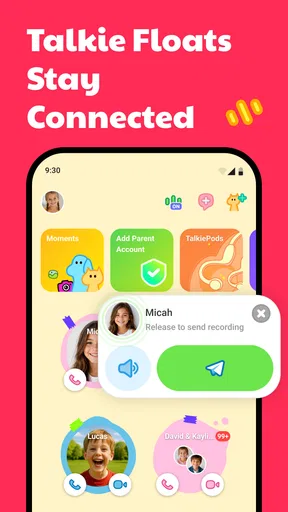
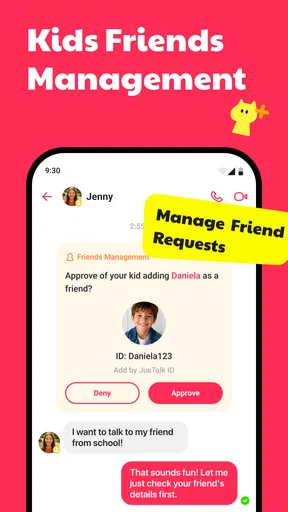
The strongest case for this communication app is its child-oriented mix of contact management and ways to talk. A parent who approves the contact list can make the first steps into messaging more deliberate than giving a young child a general-purpose messenger and hoping they use it sensibly. For a family, that structure may be more valuable than a long list of entertainment extras.
For example, imagine a child at home with one parent while the other is out. A quick voice or video call can make it easy to check in, and a message can handle a small question without turning it into a full conversation. The same setup could help a child share a moment with a grandparent who lives elsewhere. I find these modest, repeatable uses more convincing than treating any children’s app as a complete solution to online safety.
JusTalk is the developer, and this is a communication app rather than a game, even though play is part of its appeal. Its store summary describes text, voice and video calling, messaging, group chats, hangouts and party games. That breadth can suit households that want conversation and a little shared activity in one place, but it also means parents should decide which parts their child actually needs. For a child who only wants to call a parent, the extra activities may add little value.
Features That Stand Out
First off, the security measures in JusTalk Kids are top-notch. The app is crafted with a focus on providing a secure environment for children to chat and share moments. Parents can breathe a little easier knowing that their child’s conversations are protected with end-to-end encryption. Plus, the app doesn’t store personal information on servers, which is a huge relief in today’s data-driven world.
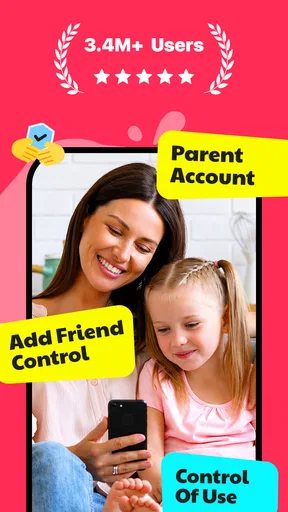
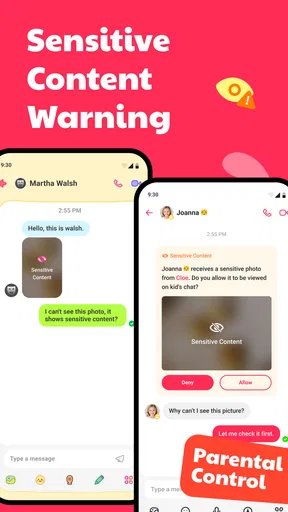
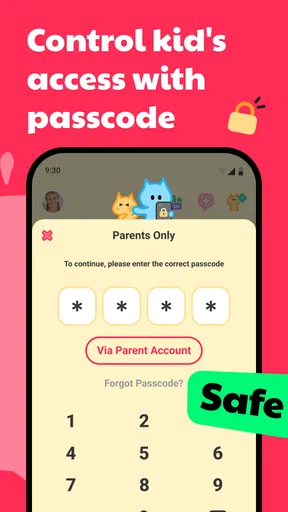
Another stellar feature is the parental controls. Parents have the ability to manage their child's contact list, ensuring that only approved contacts can communicate with their little ones. This feature is especially handy for younger kids who are just starting to navigate digital communication.
Fun and Engaging Interface
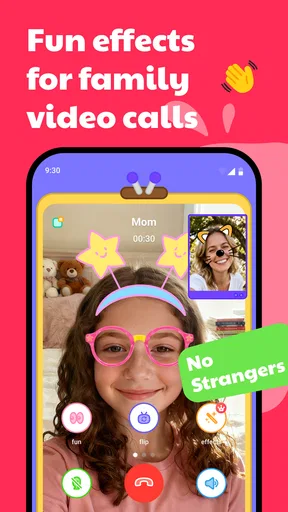
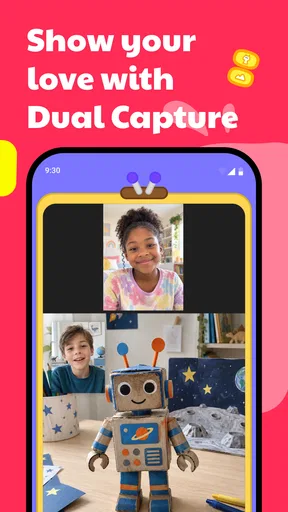
The interface of JusTalk Kids is vibrant and user-friendly, designed to appeal to children. It offers a range of fun features such as doodling on video calls, sharing stickers, and even playing games during calls. These elements not only make the app fun for kids but also enhance their interactive experience.
One of my favorite features is the ability to customize ringtones and themes, allowing kids to express their personality through their app interface. It’s these little touches that make JusTalk Kids stand out from the typical messaging apps available.
That playful layer also creates a practical trade-off for parents: a child who enjoys drawing or sending stickers may be more willing to call family, but the same extras can distract from a short, purposeful check-in. I’d agree on a simple expectation before the first call—for instance, call to talk first, then use the playful tools if there is time. That keeps the app’s appeal without making every conversation a screen activity that runs on indefinitely.
Seamless Communication
JusTalk Kids provides a seamless communication experience with both video and voice call options. The quality of the calls is impressive, with minimal lag or interruption, even when the internet connection isn't at its peak. This is a definite plus for maintaining those important conversations with grandparents or friends who might live far away.
Moreover, the app works across both Android and iOS platforms, making it easy for families with different devices to stay connected without any hassle.
In practice, a useful setup is to add the people a child genuinely needs before relying on the app for an important check-in. A child may be comfortable tapping a familiar contact, while a parent can keep the contact list focused rather than leaving the child to sort through a broad address book. I’d also test a call at home before expecting it to work smoothly during a busy moment; video is more dependent on a stable connection than a short text, and voice can be the simpler choice when the picture is not important.
Compared with a standard messenger, the appeal here is the child-focused contact arrangement and the more playful call experience. A general messaging app may be a better fit for adults who need established work or community chats, or for a family already using one service together. For a younger child, however, an adult-oriented app can bring more social features than the family wants to introduce. I see JusTalk Kids as a narrower tool: useful when the priority is a child communicating with family, less compelling if everyone expects one universal inbox.
Encouraging Creativity and Learning
Beyond just being a messenger, JusTalk Kids encourages creativity and learning. The doodling feature is not only fun but also a great way for kids to express themselves creatively. Additionally, the app has educational games that subtly promote learning while having fun.
This blend of fun and education is perfect for parents who want their children to have productive screen time rather than just passive entertainment.
For parents wondering whether the app is suitable for a younger child, its content rating is Everyone, and the age guidance alone should not replace an adult’s judgment about readiness. I would introduce it in a shared setting, show the child how to reach the approved people, and explain what to do if an unfamiliar person or unexpected message appears. Contact controls are a helpful starting point, not a substitute for talking about safe communication or checking in as a child gains independence.
The practical value also depends on the family’s habits. If relatives will actually answer calls or join a group chat, the app can become a familiar way for a child to keep those relationships active. If family members are scattered across several messaging services and are unlikely to install another one, the child may end up with an app that few of their contacts use. Before setting it up, I’d ask which people will communicate through it and whether they are comfortable using it on their own devices.
Costs, compatibility, and fit
The app has a 4.6 average from around 57,000 ratings, and more than 5 million installs. Those figures suggest that many families have tried it, but they cannot tell me whether its particular mix of controls and playful features fits your household. It is free, is rated Everyone, and version 2.12.1 requires Android 6.0 or later. Families using iPhones can also connect across platforms, which is helpful when a child and relatives do not all use the same kind of device.
I’d skip it if you want a plain, no-frills way for adults to message one another, if your child is not ready to use a communication app with guidance, or if your family’s contacts will not use it. It may also be the wrong choice when you need a single messenger for work and family, since its child-focused purpose is precisely what makes it less suitable as a universal alternative. A regular calling option or the family’s existing messenger may be simpler in those situations.
Final Thoughts
In a nutshell, JusTalk Kids - Safe Messenger is a fantastic choice for parents looking to introduce their children to the world of digital communication. Its strong security features, parental controls, and engaging interface make it appealing and trustworthy. It’s not just about messaging; it’s about connecting with peace of mind, knowing your child is in a safe digital environment.
So, if you're considering a safe communication option for your kids, JusTalk Kids is definitely worth checking out. You can find it available for download on both the Google Play Store and the Apple App Store. It’s time to let your kids connect safely and creatively!
My recommendation is to try it when a child needs a dedicated way to reach a small circle of family, and to decide in advance how you’ll handle contacts, call time and optional purchases. The combination of calls, messages and playful interaction can make staying in touch feel natural for a child, while the contact-management approach gives parents a useful role in getting started. I would not choose it just because it has many features; I’d choose it if those features match a real routine in your home.
Verdict
Strengths of JusTalk Kids - Safe Messenger
- User-friendly interface for children.
- Parental controls enhance safety.
- No ads for distraction-free use.
- Customizable themes for fun chats.
- Supports video and voice calls.
Limitations of JusTalk Kids - Safe Messenger
- Requires internet connection.
- Limited to JusTalk network.
- No group chat feature.
- In-app purchases may be costly.
- Lacks educational content.
Other Releases by JusTalk
View All
JusTalk - Video Chat & Calls
Communication4.6
Similar Picks in This Category
View All
Google Messages
Google LLC4.6

Gmail
Google LLC4.1

Google Meet
Google LLC4.4

Google Chrome
Google LLC4.1

WhatsApp Messenger
WhatsApp LLC4.6

Carrier Services
Google LLC4.2
Frequently Asked Questions
Is JusTalk Kids safe for my child to use?
Yes, JusTalk Kids is designed with safety as a top priority. It offers a child-friendly environment with no ads, ensuring a secure space for children to communicate. Parents can control their child's contact list, making sure that only approved individuals can send messages or calls to their child.
What features does JusTalk Kids offer to enhance communication?
JusTalk Kids provides a variety of features to enhance communication for children. These include voice and video calls, doodling during calls, and a wide range of emojis and stickers. The app also supports group chats, allowing kids to connect with multiple friends or family members simultaneously.
Do parents have control over their child’s activity on JusTalk Kids?
Absolutely. JusTalk Kids provides extensive parental controls. Parents can manage their child's contacts and monitor their activity within the app. Notifications and updates about their child's usage are also available, ensuring parents are always informed about their child's interactions.
Does JusTalk Kids require an internet connection to function?
Yes, JusTalk Kids requires an internet connection to make calls and send messages. A stable Wi-Fi connection is recommended for the best experience, especially for video calls, to ensure smooth and uninterrupted communication.
Is JusTalk Kids free to use or does it have any in-app purchases?
JusTalk Kids is available for free with basic functionalities. However, there may be optional in-app purchases for additional features or customization options. Parents can control these purchases to ensure they are appropriate and within budget.
